Get the full pool workflow without the higher-tier upgrade
Put LSI, dosing, route optimization and job tools to work from Free. PoolBoss includes every feature on every plan, then prices by pool capacity so new accounts can use room you already pay for.
Free covers 20 pools and 1 admin. Paid plans include a 30-day trial.
Get LSI, dosing and route tools on every PoolBoss plan
Skimmer places LSI and dosing, route optimization, required checklist items and quotes/job management on Scaling Up. PoolBoss includes its corresponding features from Free, then prices paid plans by pool capacity.
Skimmer’s published plans · Both products include unlimited techs. The difference is which tools your plan includes and how the subscription grows with your route.
Every feature included · Free for 20 pools and 1 admin
Stop paying more for every serviced location
Skimmer charges by serviced location, so adding customers increases the subscription. At 100 serviced locations, Scaling Up is $200/month. PoolBoss Startup covers 100 pools for $29/month standard, leaving $171 a month in the business before taxes and payment fees.
Use essential pool tools before buying a bigger plan
Skimmer puts LSI, dose guidance, route optimization and required checklist items on Scaling Up. PoolBoss includes those tools from Free, so a small company can set its service standards and plan better routes from the beginning.
Several Skimmer reviewers describe wanting more administrative functions on mobile. PoolBoss lets owners and office managers schedule visits and create quotes and invoices on the phone according to their role, so customer work does not always have to wait until they reach a desk.
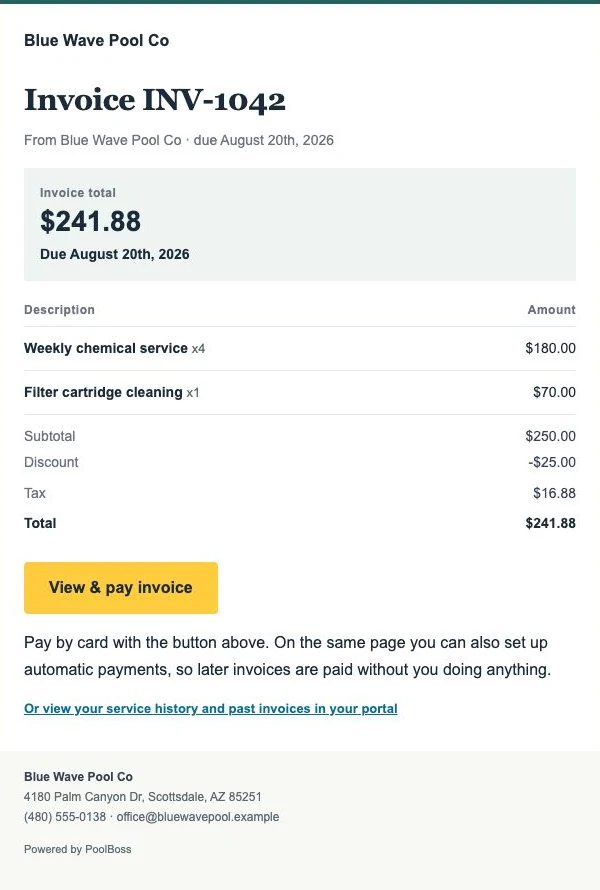
PoolBoss lets customers authorize autopay and charges eligible new invoices within a day of sending. Successful payments and receipts stay with the account, helping your office spend less time chasing balances and get more of the route’s earned revenue collected.
Reviewed November 12th, 2026. Customer experiences are attributed to their sources; plan differences use published vendor terms.
Compare what your crew needs
PoolBoss and Skimmer feature comparison
What you’re comparing
PoolBoss
Skimmer
Pricing model
Flat monthly tiers by pool capacity
Per serviced location
Price with route optimization
Every plan, including Free
Scaling Up: $2/location, $98 minimum
Ongoing free plan
20 pools, 1 admin
Trial offer; paid subscription afterward
LSI and dosing
Every plan, including Free
Scaling Up
Required checklist items
Every plan, including Free
Scaling Up
Quotes and job tools
Every plan, including Free
Scaling Up
Chemical tracking
Included on every plan
Available
Route management
Included on every plan
Available
Route optimization
Included on every plan
Scaling Up
Offline mobile app
Included
Available
Customer portal
Included
Available
API and integrations
REST API and webhooks on every plan
Confirm API access and integration terms for your plan
Skimmer’s Getting Started plan begins at $49/month and has a different feature set. The calculator uses Scaling Up to compare route optimization and quotes. Confirm your plan and any separate fees in a current quote.
Try readings, checklists and reports on your own route
The best place to try PoolBoss is on a route you know.
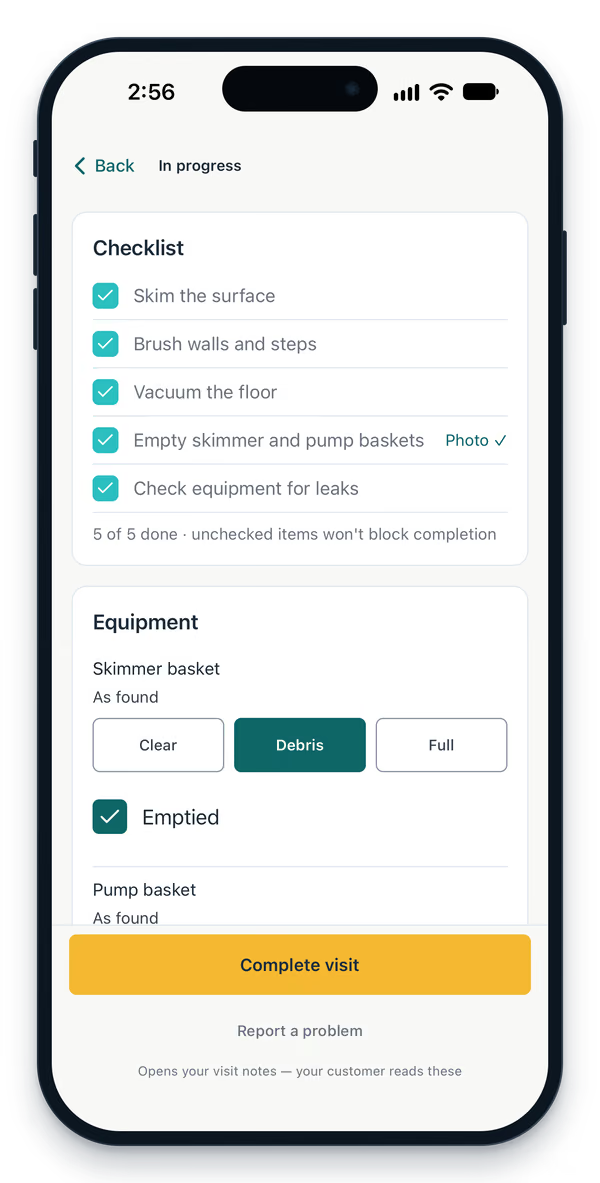
Open a pool’s history, complete the checklist and record its readings. Then review the service report and the work available to your office. Those are the details your crew will use every day.
Free for up to 20 pools and 1 admin. Every feature included.
Completed service tasks
Keep every feature as your route grows
Use capacity you already pay for
A new pool inside your PoolBoss tier does not change the subscription. Every tech can use the same readings, checklists and service history without a technician seat charge.
Start with the full product on Free
Try up to 20 pools and 1 admin with no trial clock. Paid plans include unlimited admins and start with a 30-day trial. Connect your office tools and try the service-to-invoice workflow with familiar pools.
Import customer and pool records before switching
Start by exporting the customer and pool list from Skimmer. Review your spreadsheet, match its fields and check a sample of imported records before assigning live work.
Skimmer bills per serviced location with a monthly minimum. PoolBoss bills a flat rate by pool-count tier, so your price is predictable and stops climbing as the route grows. For a growing route, flat pricing is usually the cheaper path.
The same goes for connecting your other tools. Skimmer keeps full public API access for its Enterprise tier. PoolBoss includes its REST API and webhooks on every plan, Free too.
What Skimmer does better today
Skimmer’s advantage is maturity, not feature count. PoolBoss matches it on offline sync and a customer portal. What Skimmer has is the longer track record, the bigger installed base, and the years of first-mover polish that come with being the established name.
Where they’re even
On the day-to-day, they’re close: both do recurring routes, structured chemical readings, and proof-of-service. The decision usually comes down to whether you’d rather pay per pool or a flat rate.
What the cheaper Skimmer plan leaves out
You have to pay more to unlock these
You do get them on Skimmer — on Scaling Up, at $2 per serviced location, $98/mo minimum
Route optimizationScaling Up
Quotes & estimatesScaling Up
Job managementScaling Up
SchedulingScaling Up
Required checklistsScaling Up
Broadcast emailsScaling Up
Live phone supportScaling Up
Included on every PoolBoss plan
Including Free — up to 20 pools, no card
Route optimization
Quotes & estimates
Job management
Schedule
Dosing calculator
Customer emails
Chemical tracking
Offline mobile app
Customer portal
QuickBooks sync
What you’d pay as you grow
PoolBoss is flat by pool count and never charges per tech or per seat, so the bill flattens out. Here is the same growth on each tool, from a starter route to a large fleet.
Monthly cost as you grow: Skimmer vs PoolBoss, by pools, estimated from published prices as of November 12th, 2026.
Pools
PoolBoss
Skimmer
20 pools
Free
$98/mo
50 pools
$29/mo
$100/mo
100 pools
$29/mo
$200/mo
250 pools
$79/mo
$500/mo
500 pools
$249/mo
$1,000/mo
1,000 pools
$249/mo
$2,000/mo
PoolBoss caps at $249/mo and never charges per pool. Skimmer is $2 per serviced location per month, $98 minimum - their Scaling Up tier, where route optimization and quotes & estimates first appear. Their $1/location Getting Started tier ($49 minimum) excludes those. Assumes one pool per serviced location. Estimates use published list prices as of November 12th, 2026; your actual bill may differ.
See how PoolBoss connects the work
These are actual PoolBoss screens showing how route details, water readings, invoices and customer records fit together. Every feature shown is included on Free, which covers up to 20 pools and one admin.
Send the route with the details your tech needs
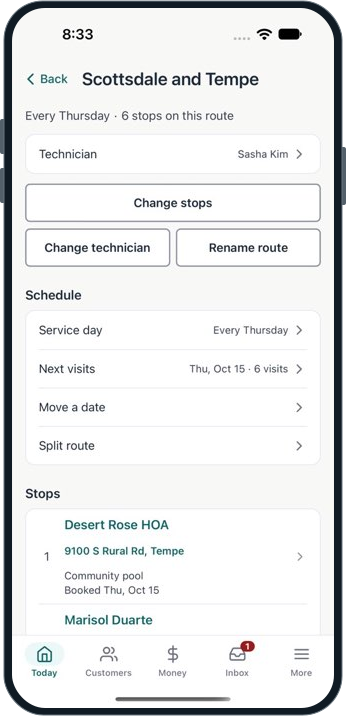
PoolBoss keeps the assigned technician, recurring service day and ordered stops together. Your crew can see where to go without rebuilding the route every week.
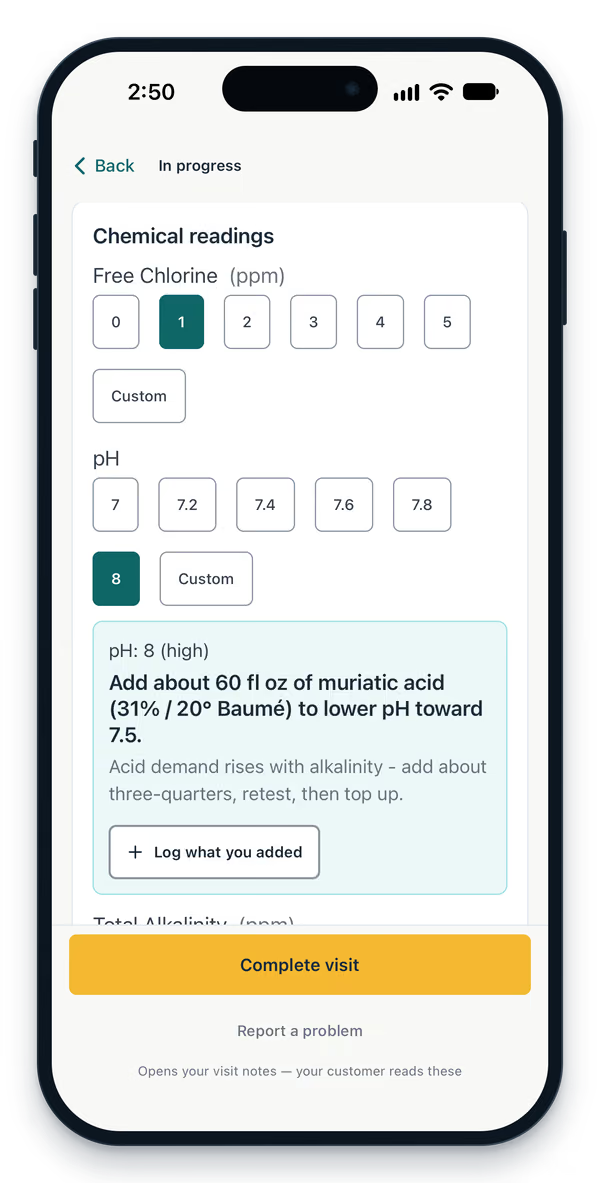
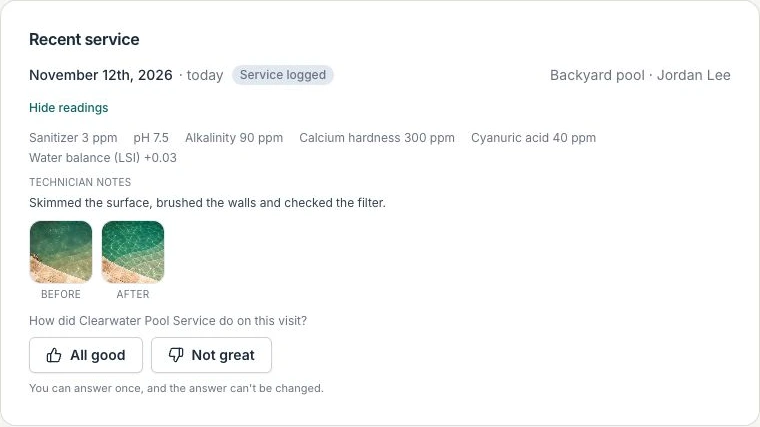
PoolBoss keeps readings with the visit and suggests a dose for the pool. Your office can use that service history when a customer calls or another technician covers the stop.
PoolBoss brings completed visits, water readings and feedback into your company’s customer portal. Customers can check the record without waiting for your office to answer a routine service question.
The customer’s service history, readings, photos and feedback
Import your customer list and set up your routes
You don’t have to pick a cutover day, and you don’t have to cancel anything to try it. Run both for a couple of weeks if you want — the free plan covers up to 20 pools and one admin with every feature and no time limit.
Export your customers and pools
Pull your customer and pool list out of Skimmer. Save it as CSV. You don’t have to clean it up, rename a single column, or match it to a template of ours.
Step one of four
Upload it and check the preview
We match your columns to ours automatically and show you exactly what we found - row by row, including anything we couldn’t read and any column we’re about to ignore. Nothing is written until you confirm.
Customers, then pools
Bring the history over too
Past visits and their chemical readings import the same way, so a customer who’s been on your route for three years still looks like it. Then build your routes and you’re running.
Same afternoon
What actually comes over?
Customers, pools and their specs, routes with stop order, and past visits with their chemical readings - chlorine, pH, alkalinity, hardness, CYA, salt and temperature.
Do I have to cancel Skimmer first?
No. Nothing here asks for a card, so you can run both until you’re satisfied and cancel on your own schedule.
What if the file is a mess?
Most of them are. The preview flags the rows it can’t read and the columns it isn’t using, so you fix them before anything is created - not after.
What if I import the same file twice?
Customers, pools and visit history are matched and skipped rather than duplicated, using your old system’s record IDs when the export includes them.
Will my customers get emailed?
No. Importing three years of history doesn’t send three years of service reports. Historical visits import silently.
What does it cost?
Nothing. The importer is part of the product on every plan, including free.
Compare costs for your company
Price
Skimmer bills per serviced location, so the bill grows every time you add a pool. Route optimization sits on their Scaling Up tier, at $2 a location with a $98 minimum. Ours is flat by tier and stops climbing - the same software at 40 pools or 400.
Features
Route optimization, quotes, job management and scheduling sit on Skimmer’s Scaling Up tier. Every PoolBoss plan includes every feature. Free covers up to 20 pools and one admin with no time limit.
Switching
Bring your customers, pools, routes and visit history across from a spreadsheet. Stay on the free plan up to 20 pools while you decide. No card, no clock, nothing to cancel if you walk away.
How PoolBoss compares to the rest of the field
Every head-to-head uses the same yardstick: what it costs at your pool count, what sits behind a higher tier, and what moving over actually takes.
Yes, in this 100-pool example. At 100 pools counted as 100 serviced locations, PoolBoss Startup is $29/month at its standard rate versus $200/month for Skimmer Scaling Up. PoolBoss includes every feature at that price, and the subscription stays $29 as you add pools within the 100-pool capacity. This compares software subscriptions. Include customer-payment fees when comparing the total cost for your company.
Does PoolBoss track chemicals like Skimmer?
Yes. PoolBoss includes numeric water readings, per-pool history, LSI, dose guidance and logged chemical use on every plan, including Free. Your technician records the test and treatment at the stop; the office and next tech can use that same history to understand the pool. Skimmer also supports chemical tracking.
Does PoolBoss match Skimmer on features?
PoolBoss includes the core tools a pool company uses to run service: recurring routes, offline visits, numeric readings, LSI and dose guidance, customer reports, repair quotes, invoicing and a customer portal. All are included on every plan, along with inventory, equipment records and reporting. Your technician’s visit becomes a record the office can use for customer questions, billing and follow-up. The full feature comparison shows the individual workflows, so you can check the tasks and integrations your company needs instead of relying on a broad feature-match claim.
Which is easier to use, PoolBoss or Skimmer?
PoolBoss keeps the technician’s route, pool details, readings and visit completion together, then carries that record into office work and customer reports. That reduces the need to re-enter the same information or send a separate end-of-day update. You can try the complete workflow on PoolBoss Free with up to 20 pools and one admin: assign a familiar route, record a visit and prepare its invoice. Your crew and office can see how it fits their work before you move the rest of the company.
Can PoolBoss replace Skimmer for a small pool company?
Yes. PoolBoss gives a small company recurring routes, chemistry, service reports, invoices, online payments, offline field work and a customer portal in one connected system. Free includes every feature for up to 20 pools and one admin, with unlimited technicians and office managers. Start with familiar accounts, use Smart Import to review supported records from your export, and run the service-to-payment workflow before bringing the rest across. Your company gets a way to evaluate the actual work without paying for a separate feature package.
Is Skimmer’s autopay easier to set up than PoolBoss’s?
PoolBoss makes autopay a customer authorization step, so your office does not have to ask the customer to pay each eligible new invoice by hand. Send the customer their portal link to enroll with a saved payment method. PoolBoss then attempts collection for eligible invoices automatically, and your office can follow the payment status. That reduces routine payment reminders and helps you collect sooner when payments succeed.
Try a complete service route in PoolBoss
Start with up to 20 pools free. Every plan includes every feature, with unlimited techs and office managers.